Combat simulations app
Web Test assignment
2021
(2 weeks)
Duration
Role
UX/UI
Tools
Figma
PS
UX design
UI design
Wireframe
User research
User flow
Topics
Defense / Simulation software
Industries


Project Vision
Designing a new application for launching multiple BISim products. The purpose of the tool is to make launching these products easy and fast.
User Research/Analysis
The most important questions that could affect the design
Kickoff
What do our users need the most?
Can every user understand how to use the app?
Isn’t it too complicated?
Isn’t there too much information?
Keywords
Simple
Organized
Functional
Intuitive
Responsive
“Interview”
Project Goals
To help target users launch (select/find, load or save) one or multiple products
Keep the design simple so every target user can use the app without problems.
User Goals
Use the application to launch (select/find, load or save) one or multiple products
Launch the products without unnecessary steps
Launch (select/find, load or save) the products as fast as possible
Target Users
Simulation Developers - Simulation team, as well as 3rd party developers who must launch the product repeatedly and in different configurations for testing and development purposes.
Simulation lab admins -
Main end-users whose full-time job is to operate a network of simulators and products.
Military trainees - A soldier that needs to run products for a training event. The most unskilled in our products and least likely to use this application, but still must be considered.
Ideation
TARGET
USERS
Simulation
Developers
Easy to use
interface
Include all necessary information while keeping it organized
All users should understand how to use the app
Dashboard
with products
Select
products
Edit launch
parameter
Load/Select
presets
Add products
Save Presets
Settings
Simulation
lab admins
Military
trainees
Make the web app
focused on products
ISSUES
NEEDS
POSSIBILITIES
Sketches
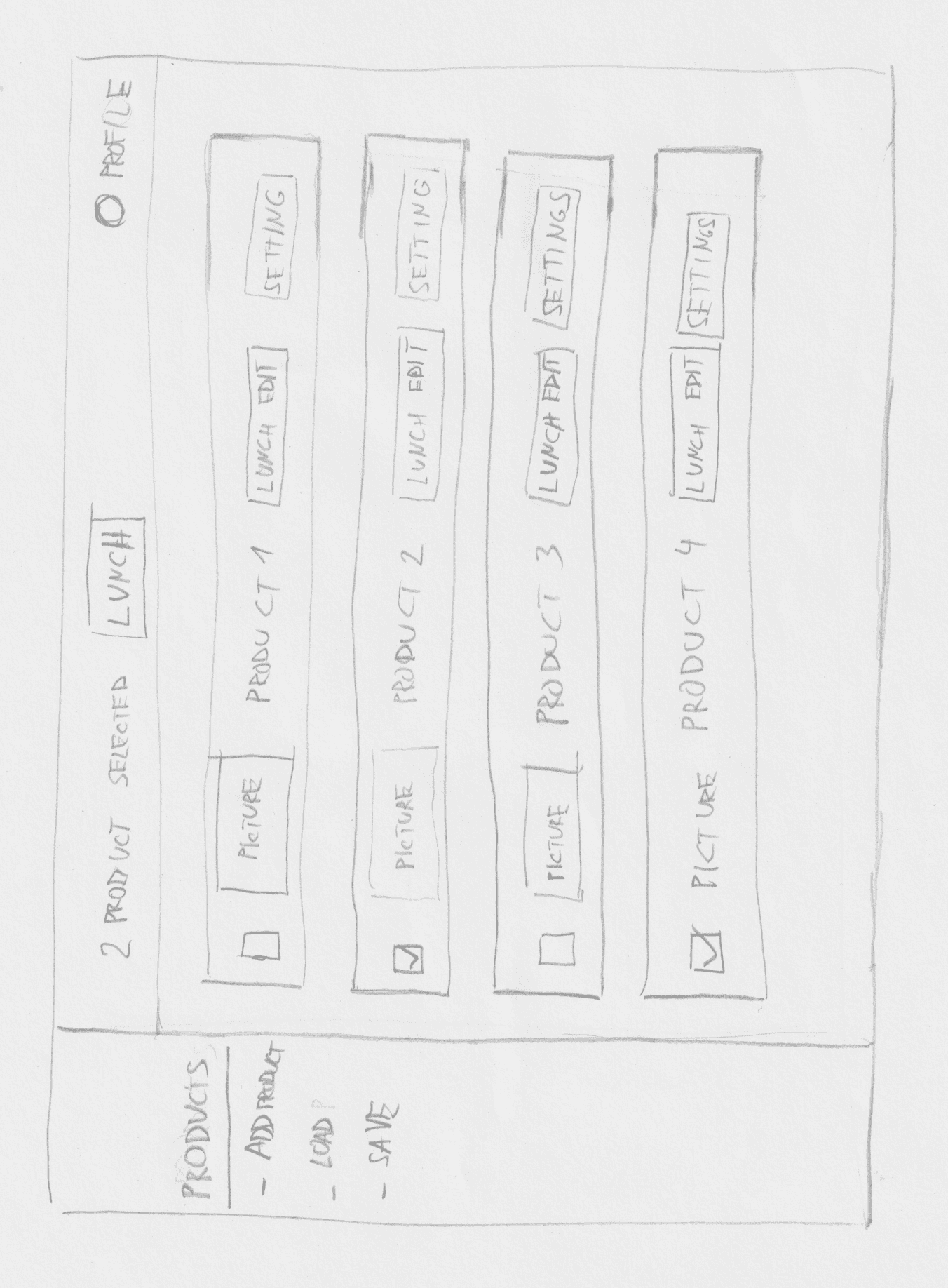
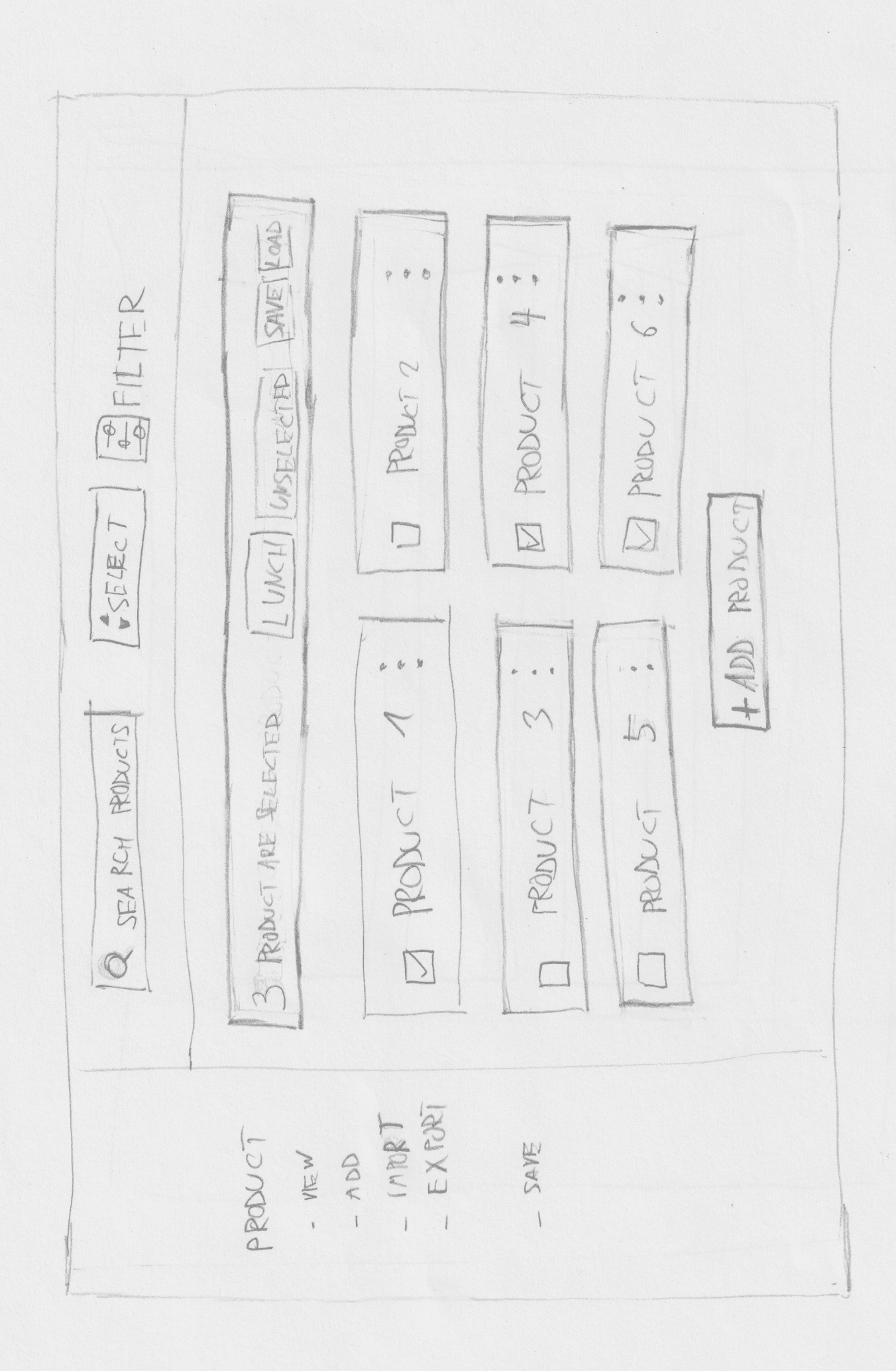
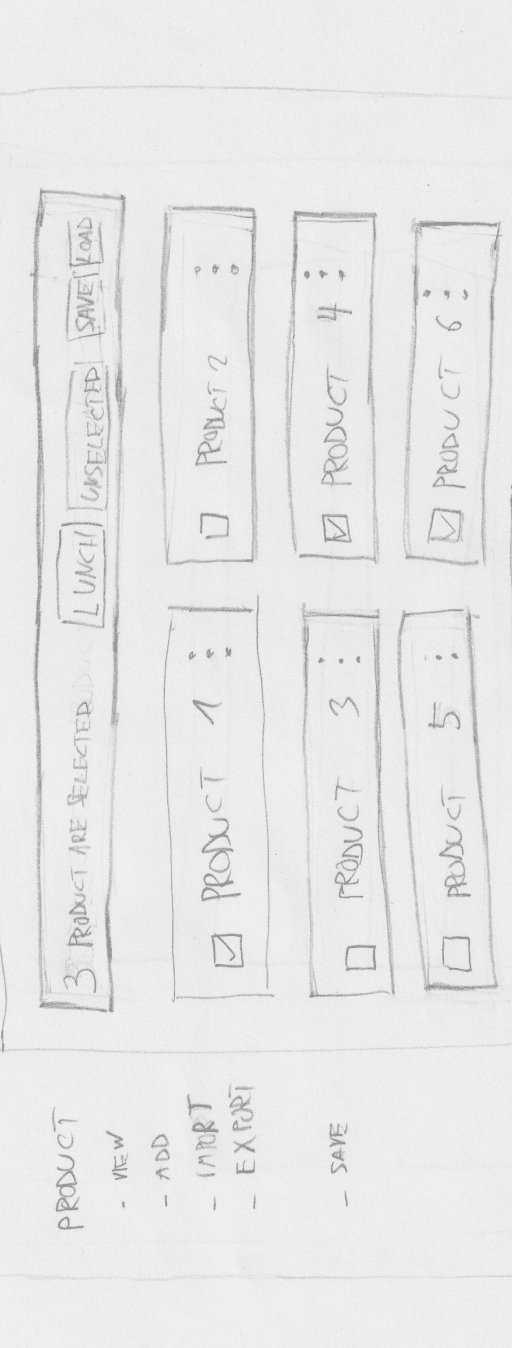
While working through a few preliminary sketches, I realized that some of the ideas and layouts didn’t work, so I quickly filtered out the good ideas from the bad ones.

User Flow Diagram
Start
End
Login page:
User enters login/pass
Reset email sent: click link
to reset
Enter new password
Confirm
Password reset: User enters email address
Re-enter email address
No
Select from the recommended
product/s
Search for
the product/s
Adjust settings of the product
Launch the product/s
Save your selected products with their settings
Load your preset of products
Enter the main page/dashboard with products
Login Info
correct?
Email matches records
Email matches records
Choose products to launch
Edit products before launch
Login / pass
correct
Wireframes
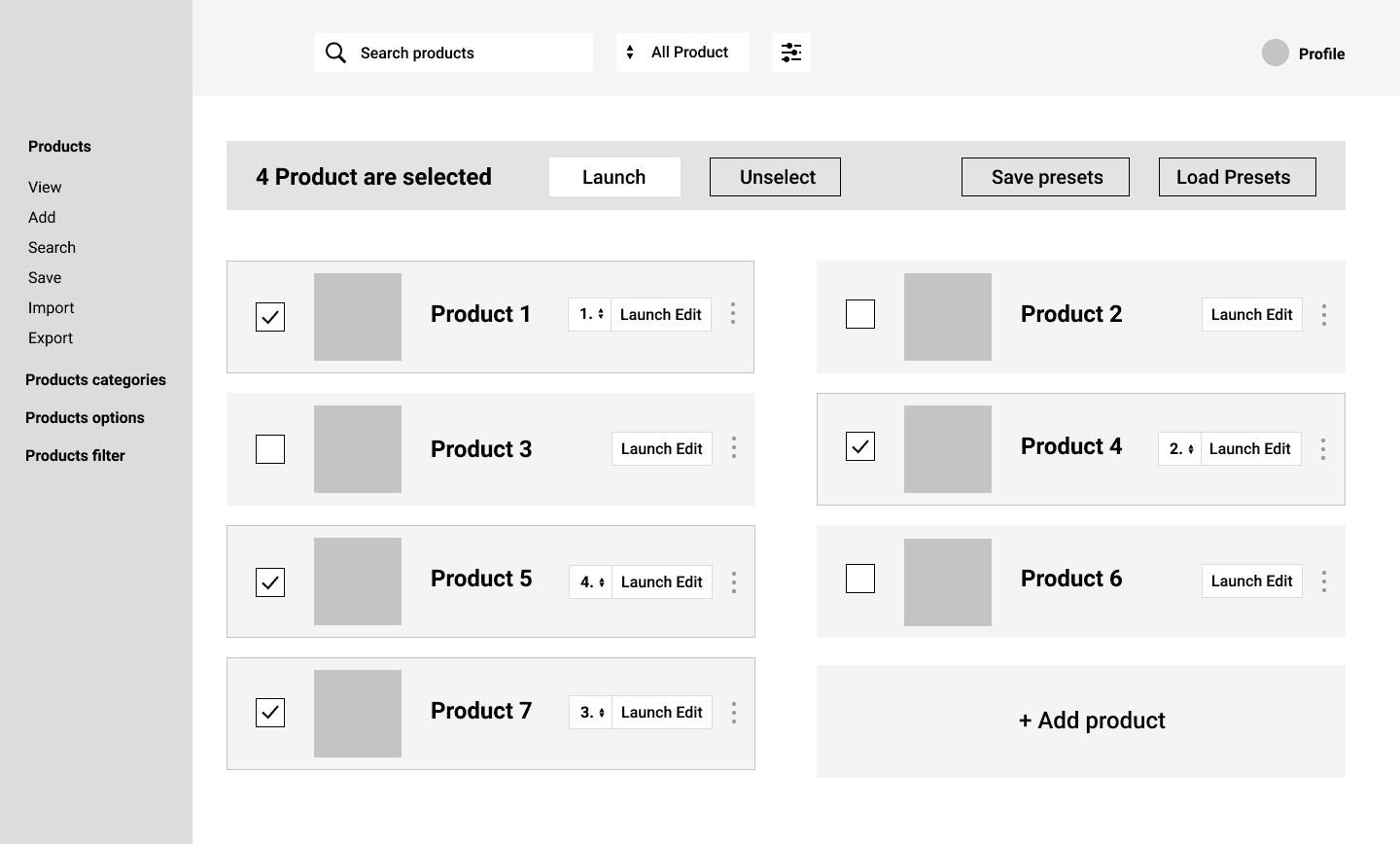
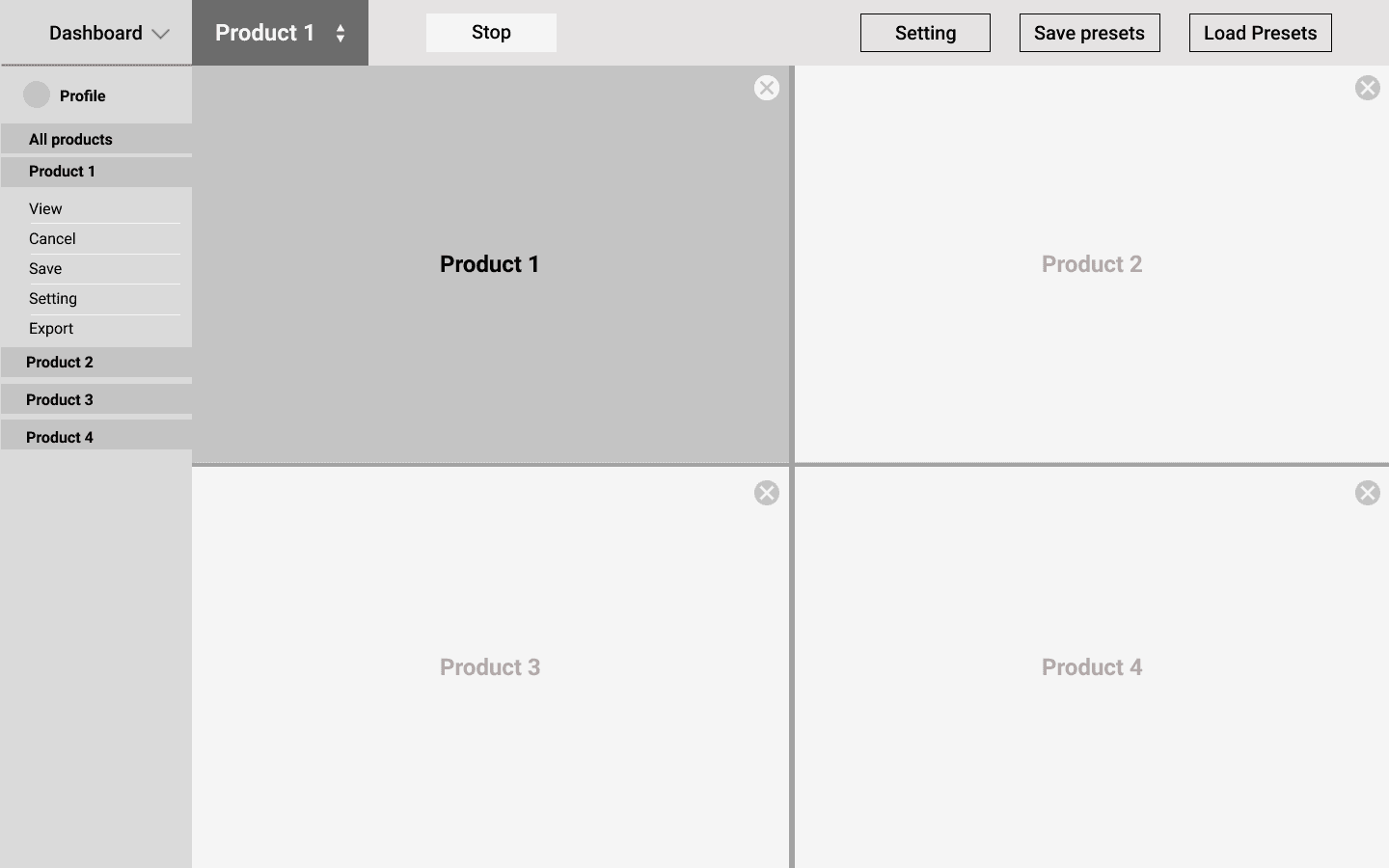
Dashboard - Launch application screen
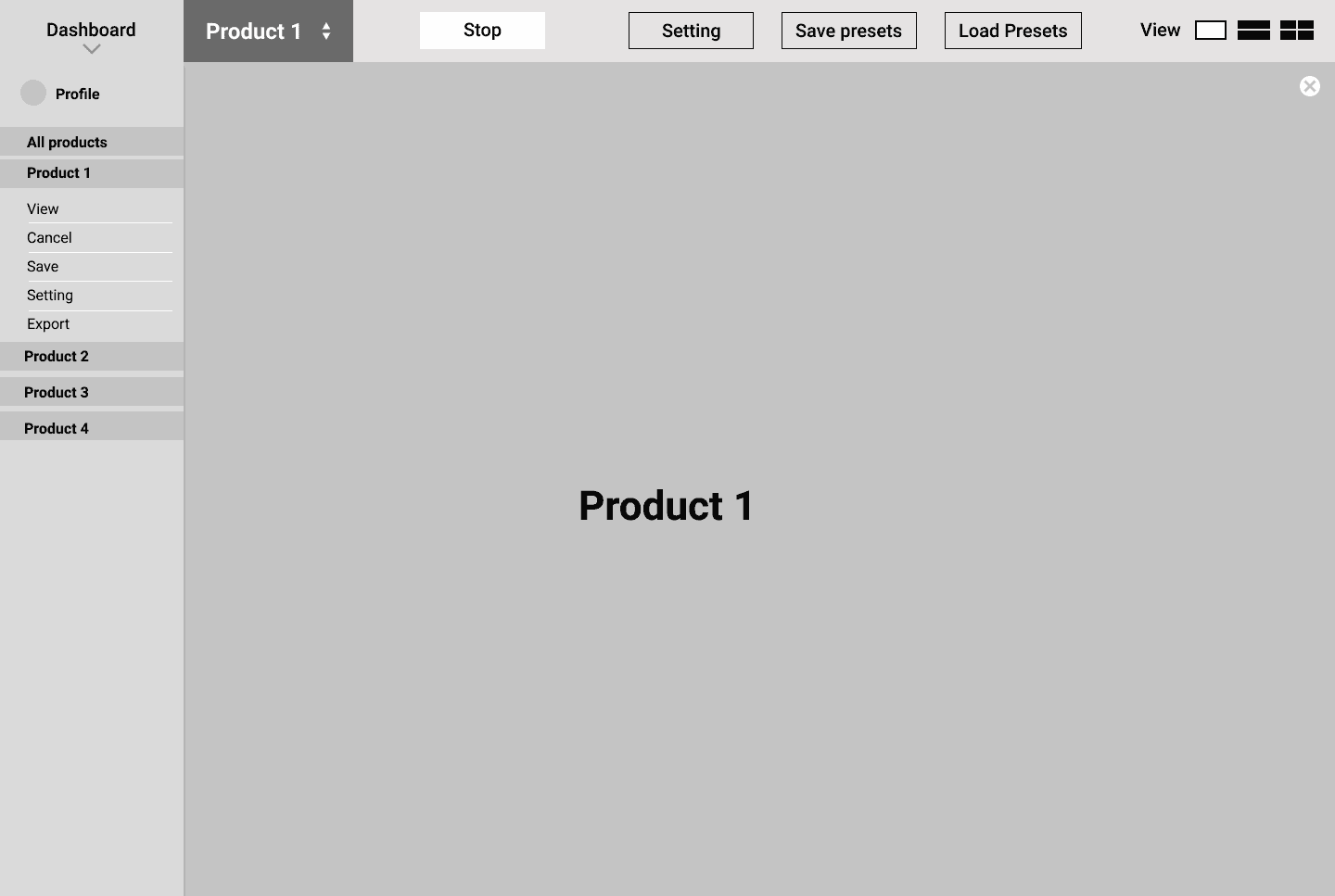
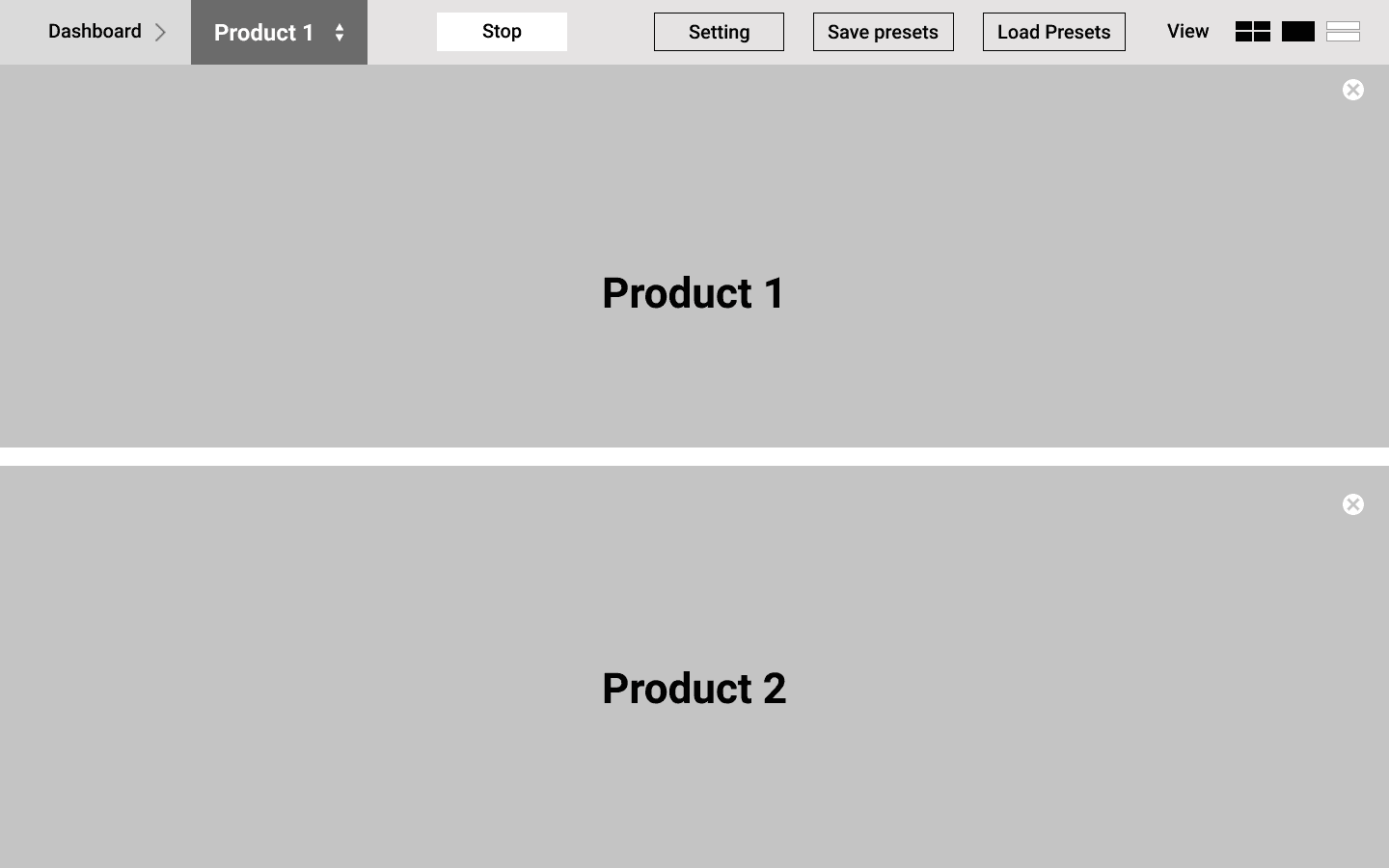
Launched application screen—several variations of the view
Use Cases
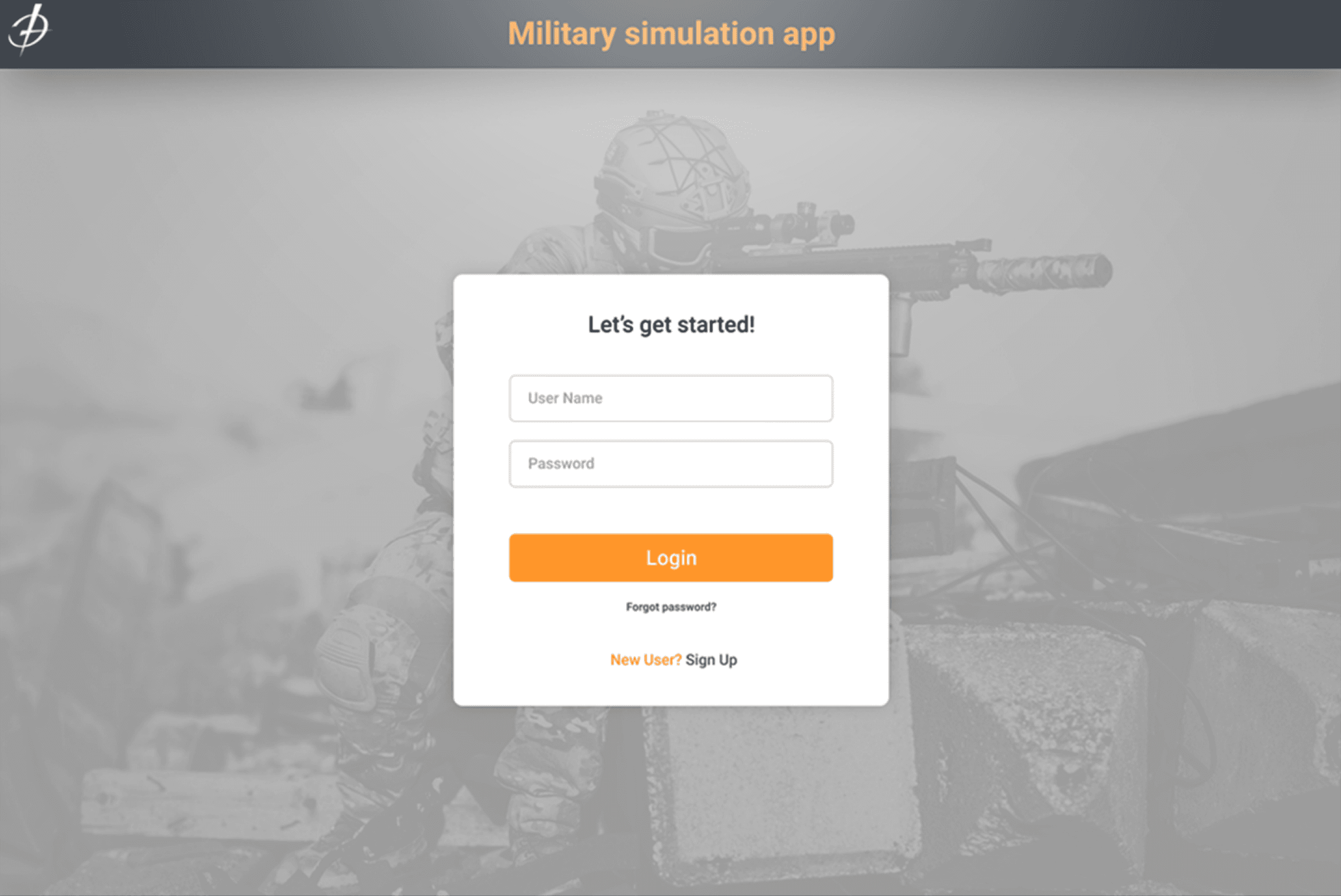
Challenge 1 - Log in
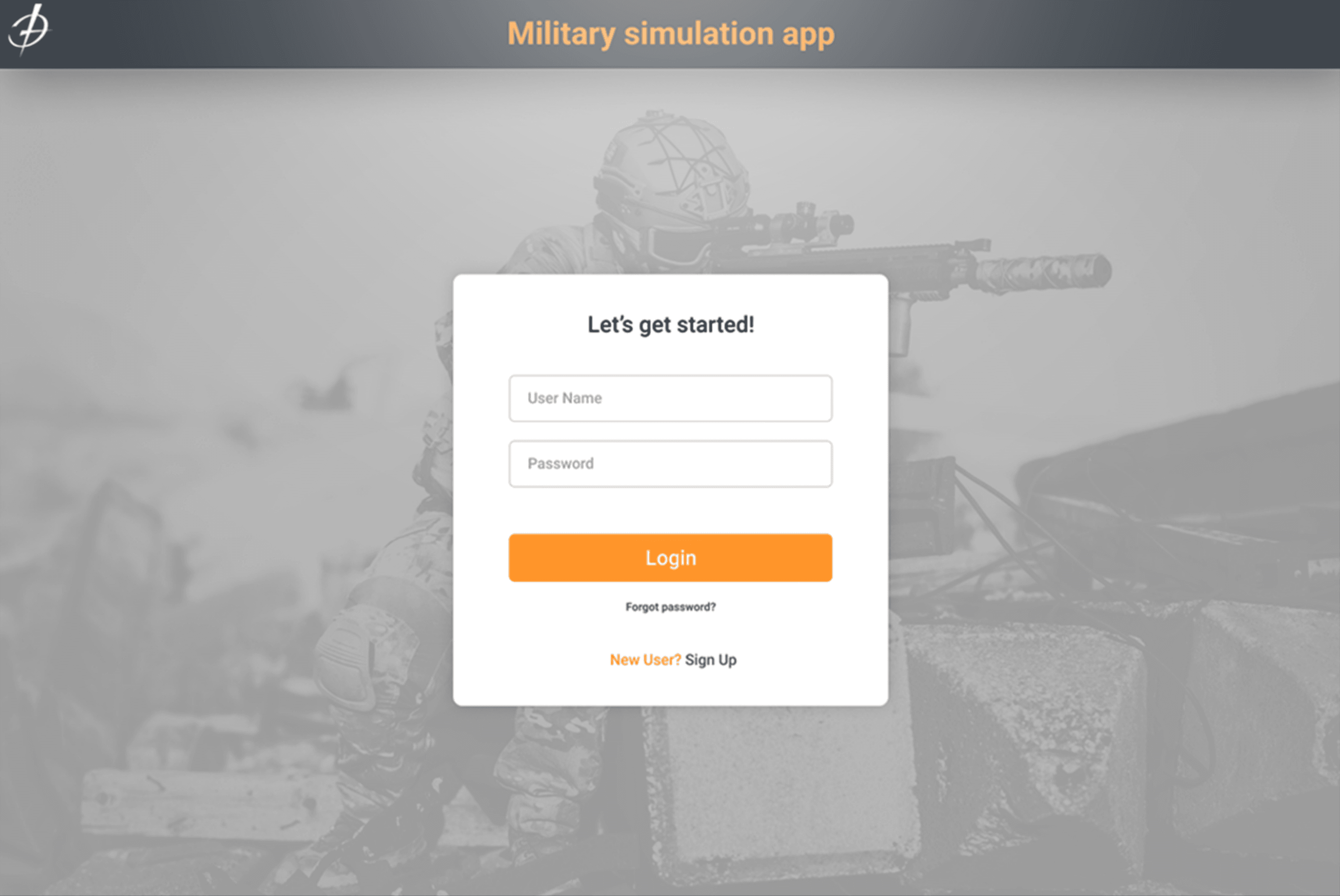
When I started with the wireframes and final visualizations, I considered how users would navigate to the dashboards to launch products. There are many ways to approach this, but since it’s an app, I decided to keep it simple and use a classic login form.

Challenge 2 - Dashboard
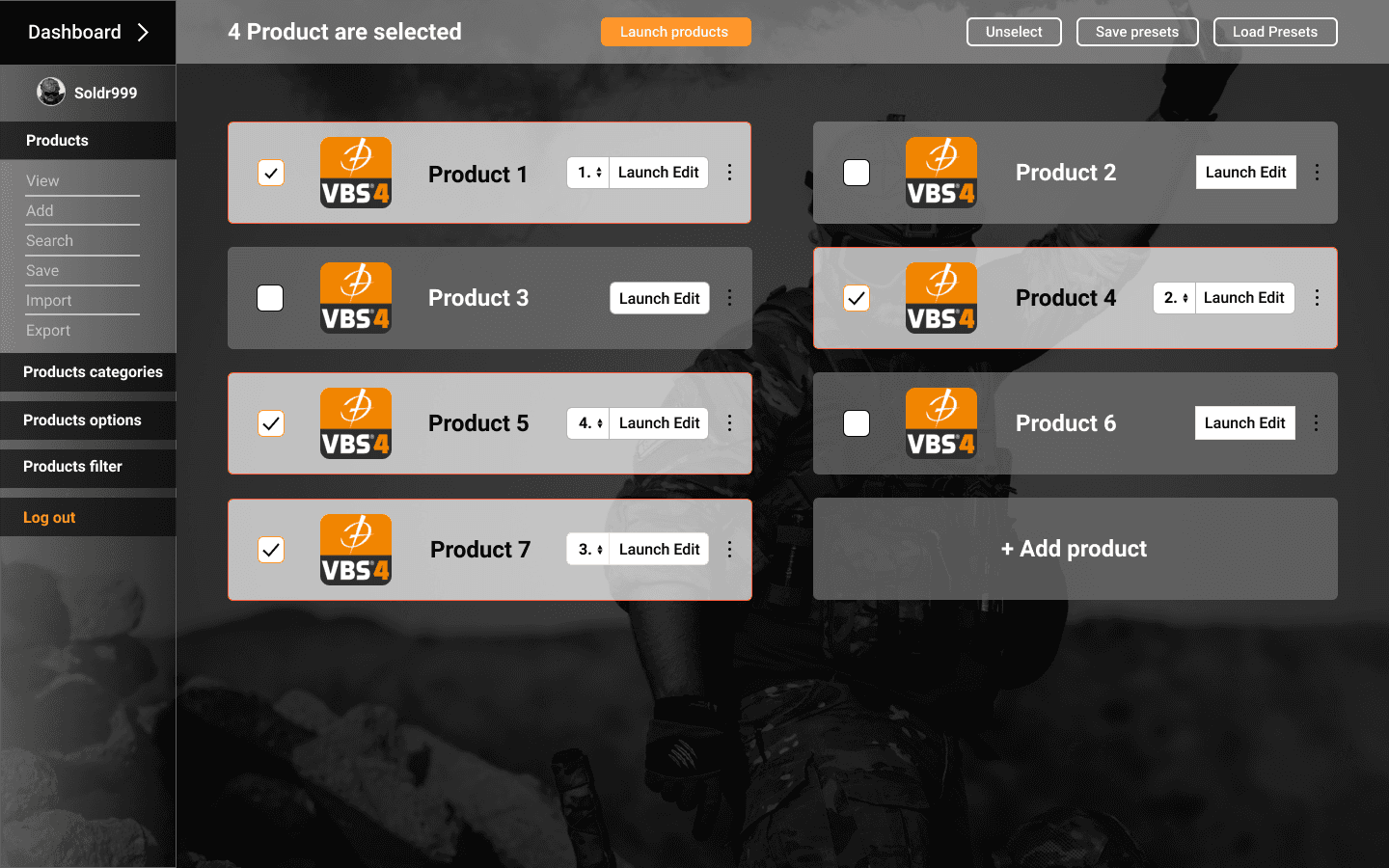
Dashboard, or the main task of this exercise. In this part, I should include the products that the user chooses, edits, and adds to the queue in the selected order. The user selects each product separately and chooses the order in which to launch them. The best way to do this, in my opinion, is by using checkboxes and allowing the order to be changed with a drop-down menu. After selecting the product(s), the options for launching the product, saving it, or uploading already saved products with configurations will appear at the top of the navigation.
Challenge 3 - Launched products
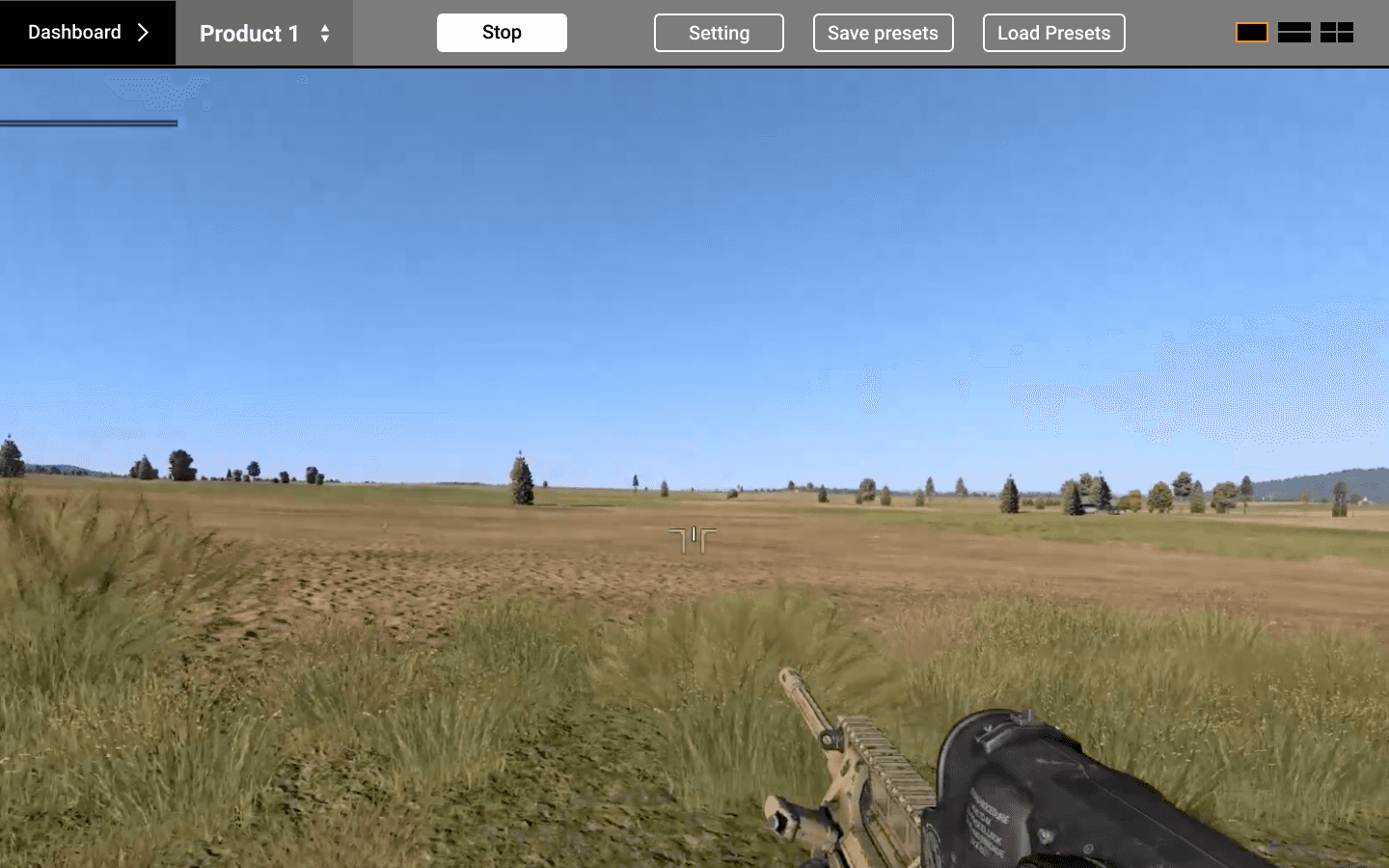
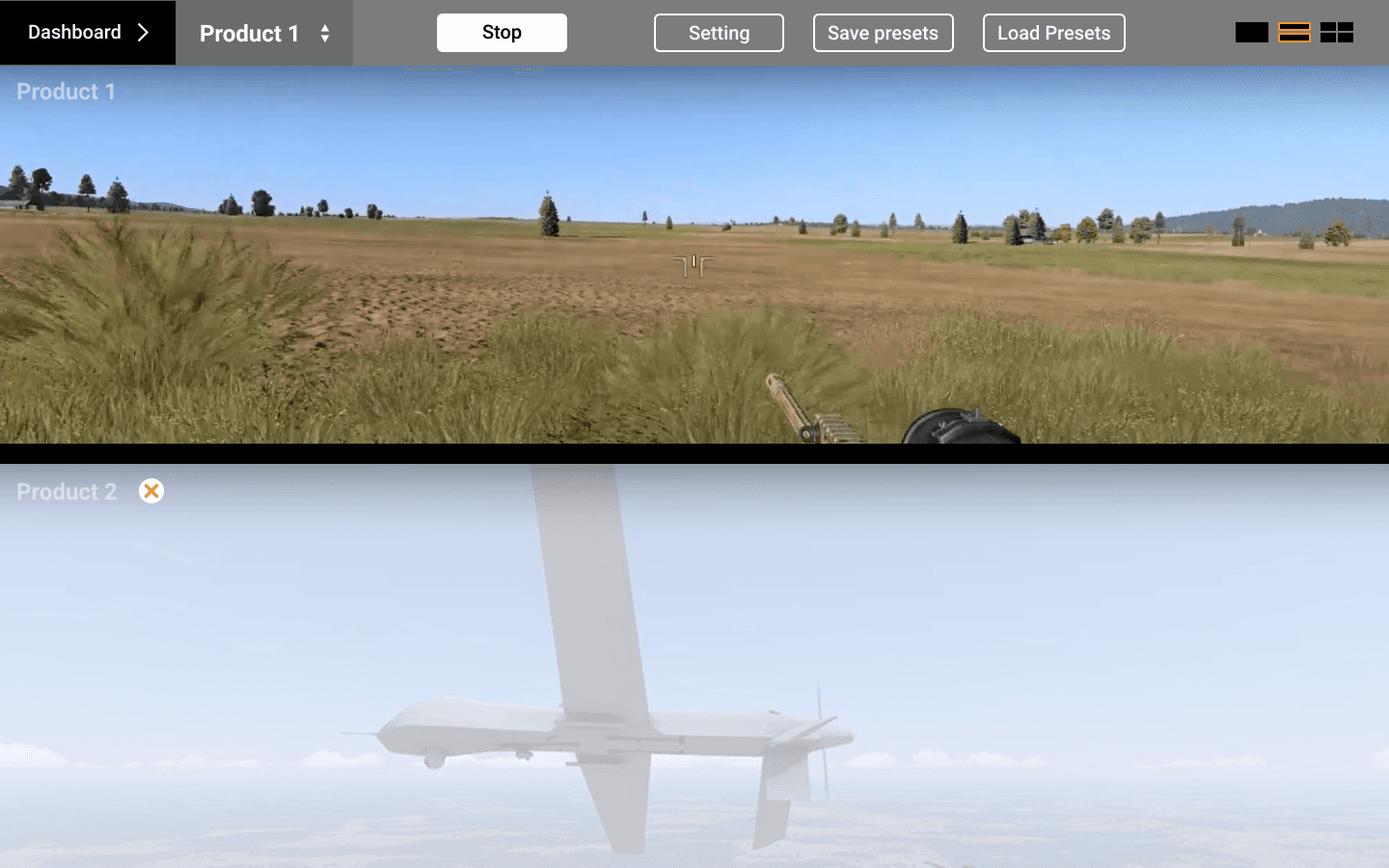
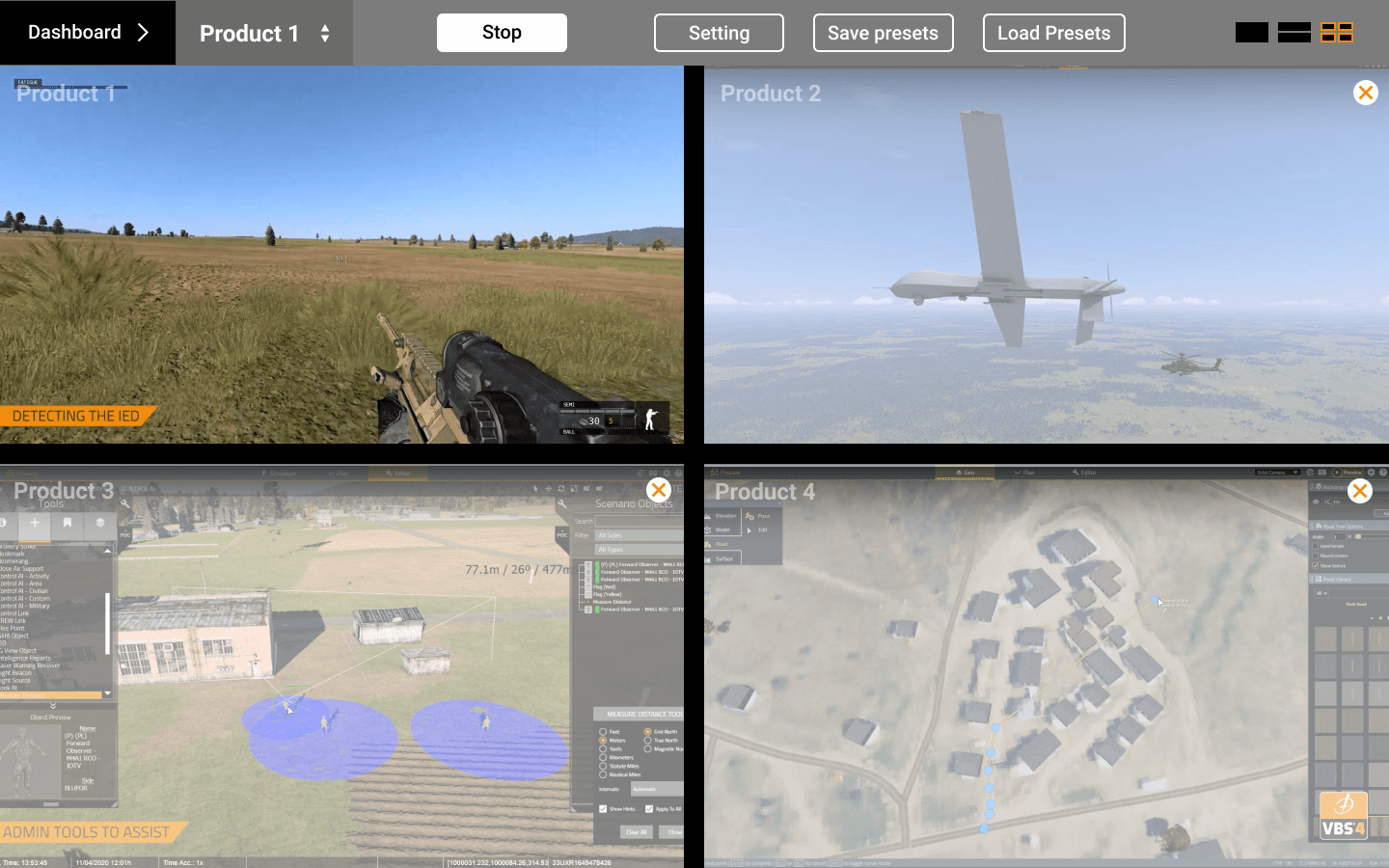
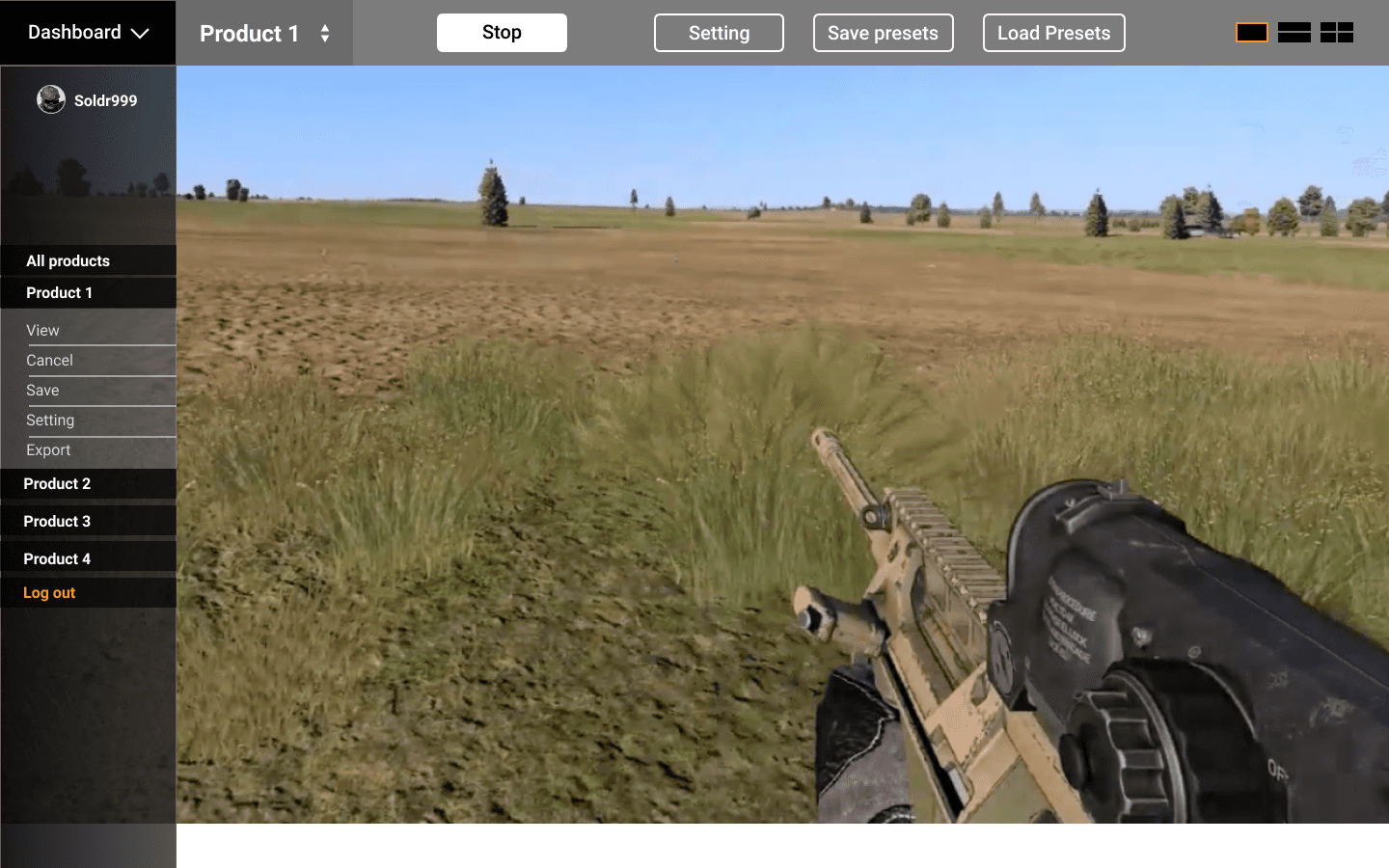
This part was really challenging for me and a bit confusing because I didn't know exactly what all the products looked like, except for the training games. I tried to approach it in the most logical way, incorporating various product display options, product settings, and all the necessary features for easy operation.
Working on the BIS app was a really interesting experience. I got to experiment with some aspects of the design and refine my design process.
Although I was not able to fully flesh out other features and designs I wanted to due to time constraints, I tried to implement the most important parts.
Takeaways
Combat simulations app
Web Test assignment
Duration
2021
(2 weeks)
Role
UX/UI
Tools
Figma
PS
Topics
UX design
UI design
Wireframe
User research
User flow
Industries
Defense / Simulation software
Project Vision
Designing a new application for launching multiple BISim products. The purpose of the tool is to make launching these products easy and fast.
User Research/
Analysis
The most important questions that could affect the design
Kickoff
What do our users need the most?
Isn’t it too complicated?
Isn’t there too much information?
Keywords
Simple
Organized
Functional
Intuitive
Responsive
“Interview”
The most important questions that could affect the design
Project Goals
To help target users launch (select/find, load or save) one or multiple products
To help target users launch (select/find, load or save) one or multiple products
Keep the design simple so every target user can use the app without problems.
User Goals
Use the application to launch (select/find, load or save) one or multiple products
Launch the products without unnecessary steps
Launch (select/find, load or save) the products as fast as possible
Target Users
Simulation Developers - Simulation team, as well as 3rd party developers who must launch the product repeatedly and in different configurations for testing and development purposes.
Simulation lab admins -
Main end-users whose full-time job is to operate a network of simulators and products.
Military trainees - A soldier that needs to run products for a training event. The most unskilled in our products and least likely to use this application, but still must be considered.
Ideation
TARGET
USERS
Simulation
Developers
Easy to use
interface
Include all necessary information while keeping it organized
All users should understand how to use the app
Dashboard
with products
Select
products
Edit launch
parameter
Load/Select
presets
Add products
Save Presets
Settings
Simulation
lab admins
Military
trainees
Make the web app
focused on products
ISSUES
NEEDS
POSSIBILITIES
User Research/Analysis
The most important questions that could affect the design
KICKOFF
What do our users need the most?
Can every user understand how to use the app?
Isn’t it too complicated?
Isn’t there too much information?
KEYWORDS
Simple
Organized
Functional
Intuitive
Responsive
“Interview”
Project Goals
To help target users launch (select/find, load or save) one or multiple products
To help target users launch (select/find, load or save) one or multiple products
Keep the design simple so every target user can use the app without problems.
User Goals
Use the application to launch (select/find, load or save) one or multiple products
Launch the products without unnecessary steps
Launch (select/find, load or save) the products as fast as possible
Target Users
Simulation Developers - Simulation team, as well as 3rd party developers who must launch the product repeatedly and in different configurations for testing and development purposes.
Simulation lab admins -
Main end-users whose full-time job is to operate a network of simulators and products.
Military trainees - A soldier that needs to run products for a training event. The most unskilled in our products and least likely to use this application, but still must be considered.
Ideation
TARGET
USERS
Simulation
Developers
Easy to use
interface
Include all necessary information while keeping it organized
All users should understand how to use the app
Dashboard
with products
Select
products
Edit launch
parameter
Load/Select
presets
Add products
Save Presets
Settings
Simulation
lab admins
Military
trainees
Make the web app
focused on products
ISSUES
NEEDS
POSSIBILITIES
Sketches
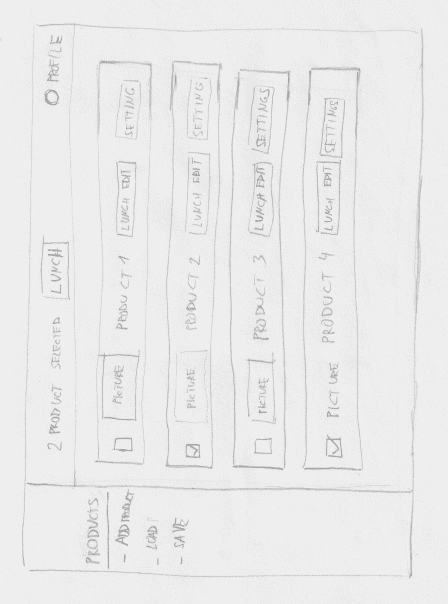
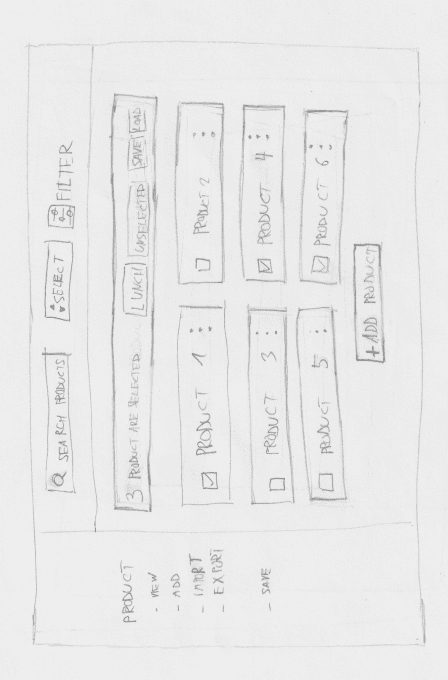
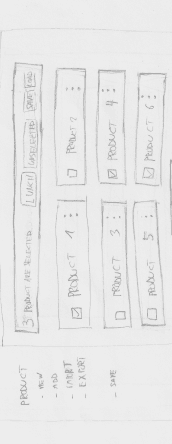
While working through a few preliminary sketches, I realized that some of the ideas and layouts didn’t work, so I quickly filtered out the good ideas from the bad ones.

User Flow Diagram
Start
End
Login page:
User enters login/pass
Reset email sent: click link
to reset
Enter new password
Confirm
Password reset: User enters email address
Re-enter email address
No
Select from the recommended
product/s
Search for
the product/s
Adjust settings of the product
Launch the product/s
Save your selected products with their settings
Load your preset of products
Enter the main page/dashboard with products
Login Info
correct?
Email matches records
Email matches records
Choose products to launch
Edit products before launch
Login / pass
correct
Wireframes
Dashboard - Launch application screen
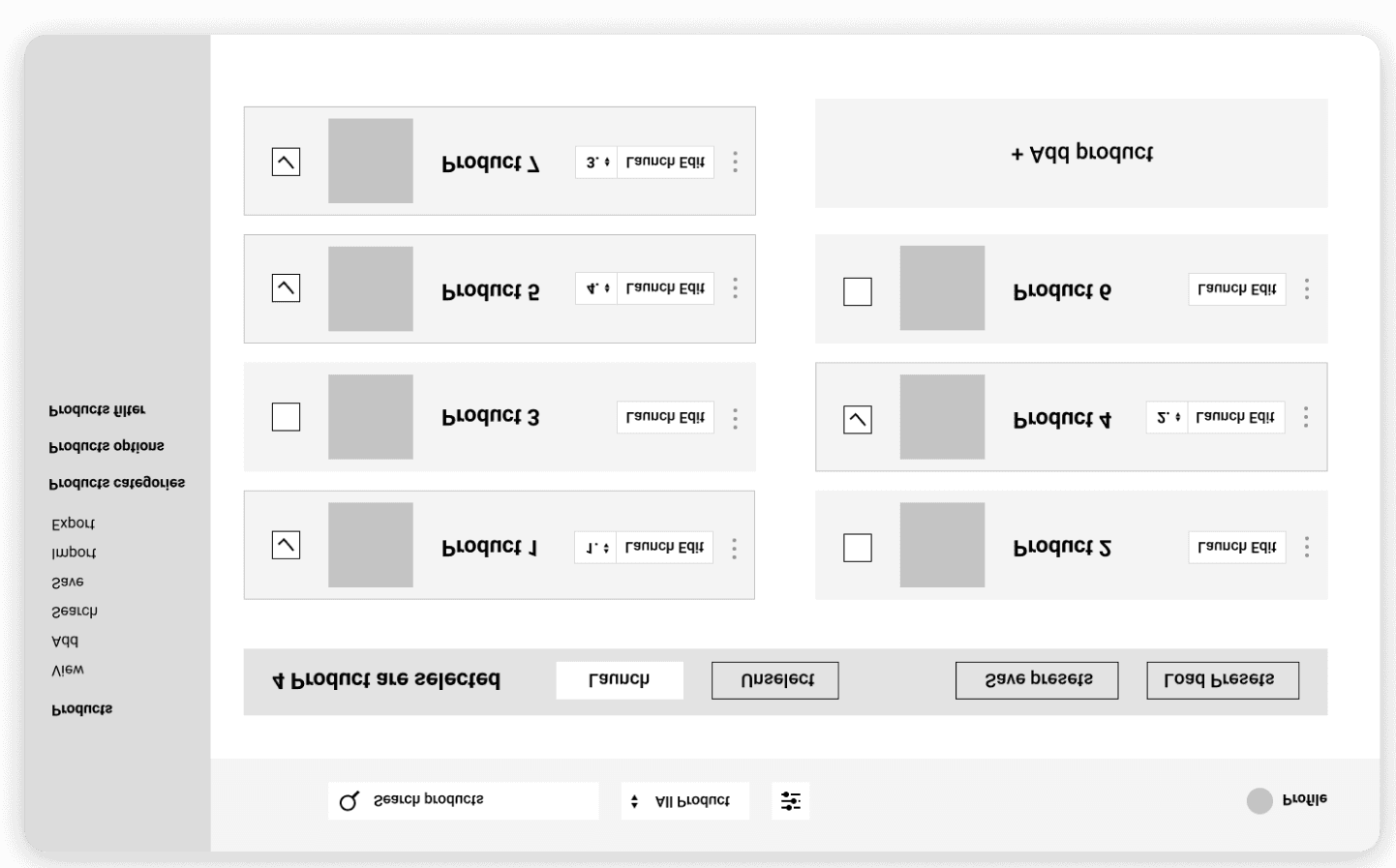
Launched application screen—several variations of the view
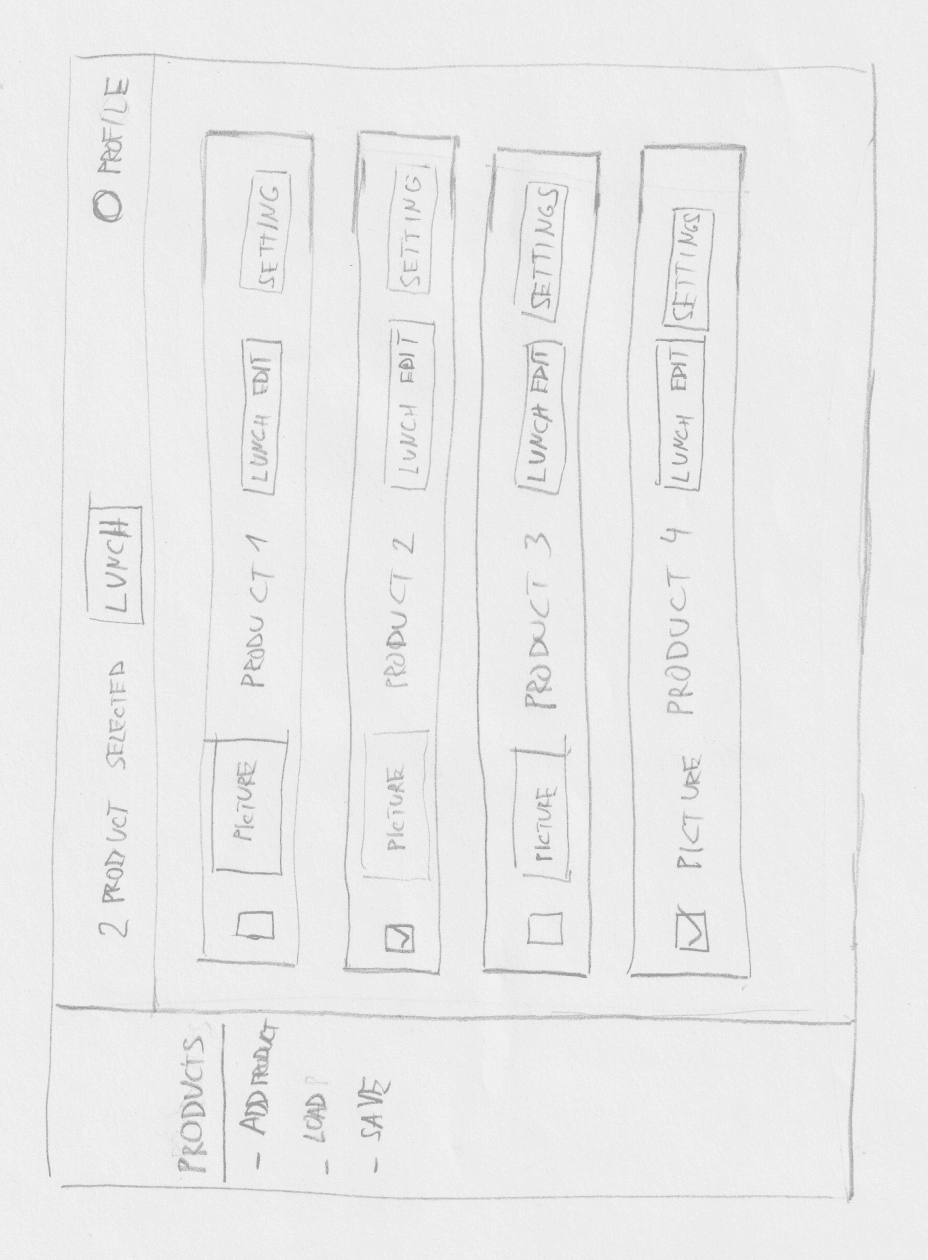
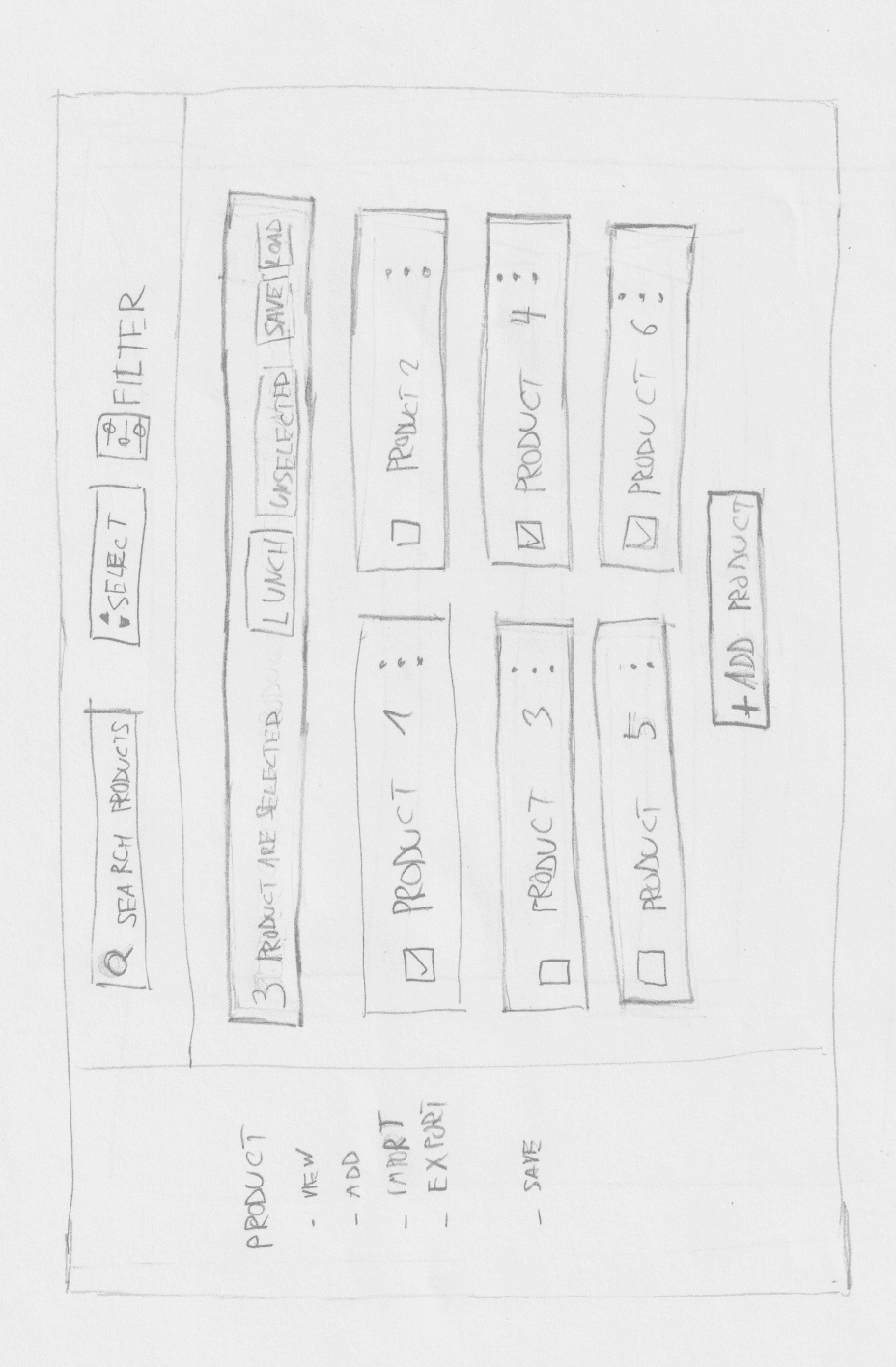
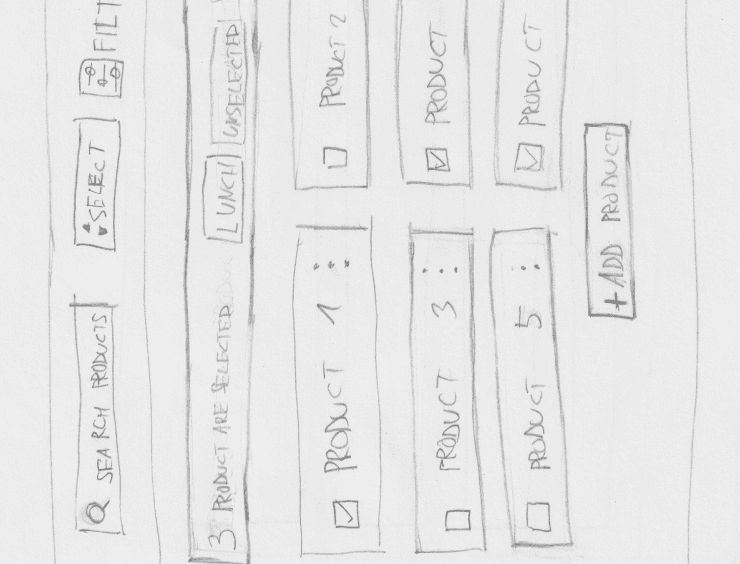
Sketches
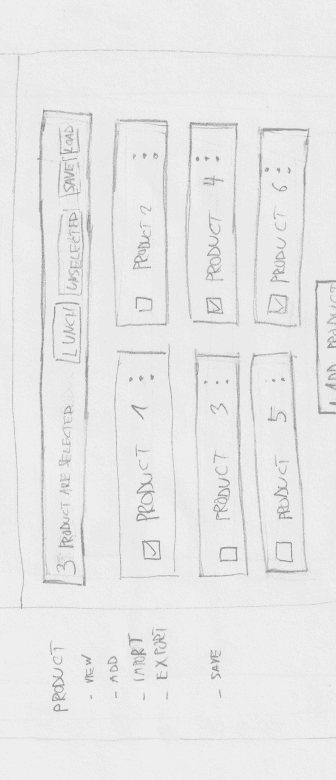
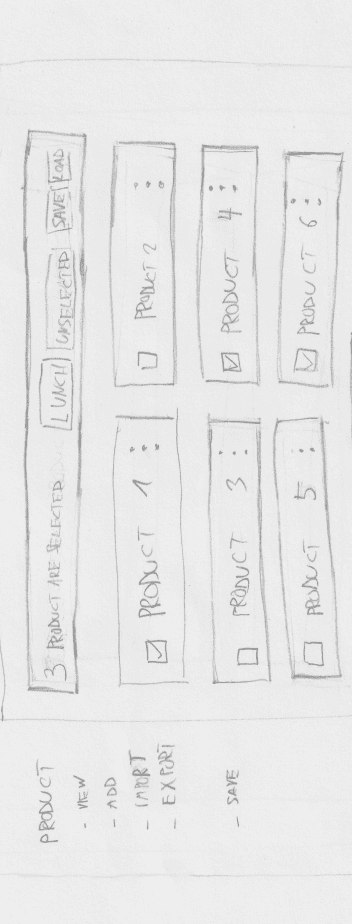
While working through a few preliminary sketches, I realized that some of the ideas and layouts didn’t work, so I quickly filtered out the good ideas from the bad ones.

User Flow Diagram
Start
End
Login page:
User enters login/pass
Reset email sent: click link
to reset
Enter new password
Confirm
Password reset: User enters email address
Re-enter email address
No
Select from the recommended
product/s
Search for
the product/s
Adjust settings of the product
Launch the product/s
Save your selected products with their settings
Load your preset of products
Enter the main page/dashboard with products
Login Info
correct?
Email matches records
Email matches records
Choose products to launch
Edit products before launch
Login / pass
correct
Wireframes
Dashboard - Launch application screen
Launched application screen—several variations of the view
Use Cases
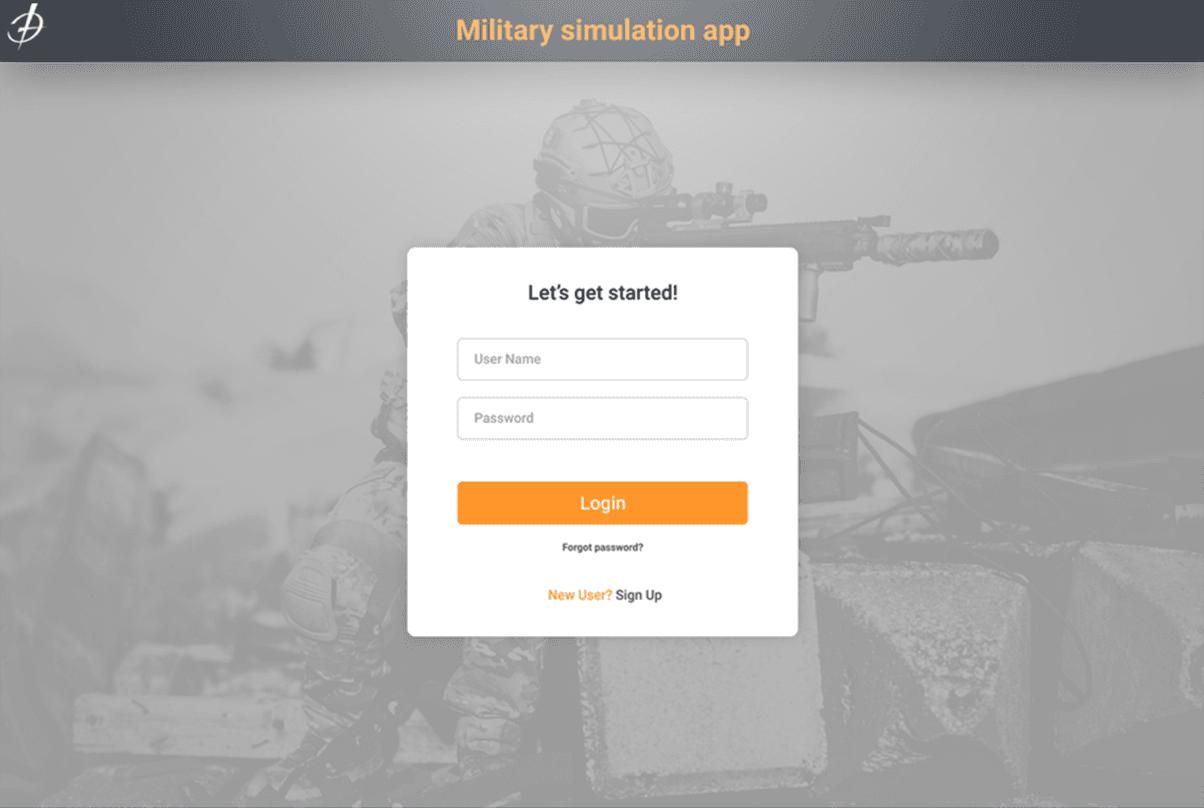
Challenge 1 - Log in
When I started with the wireframes and final visualizations, I considered how users would navigate to the dashboards to launch products. There are many ways to approach this, but since it’s an app, I decided to keep it simple and use a classic login form.
Challenge 2 - Dashboard
Dashboard, or the main task of this exercise. In this part, I should include the products that the user chooses, edits, and adds to the queue in the selected order. The user selects each product separately and chooses the order in which to launch them. The best way to do this, in my opinion, is by using checkboxes and allowing the order to be changed with a drop-down menu. After selecting the product(s), the options for launching the product, saving it, or uploading already saved products with configurations will appear at the top of the navigation.
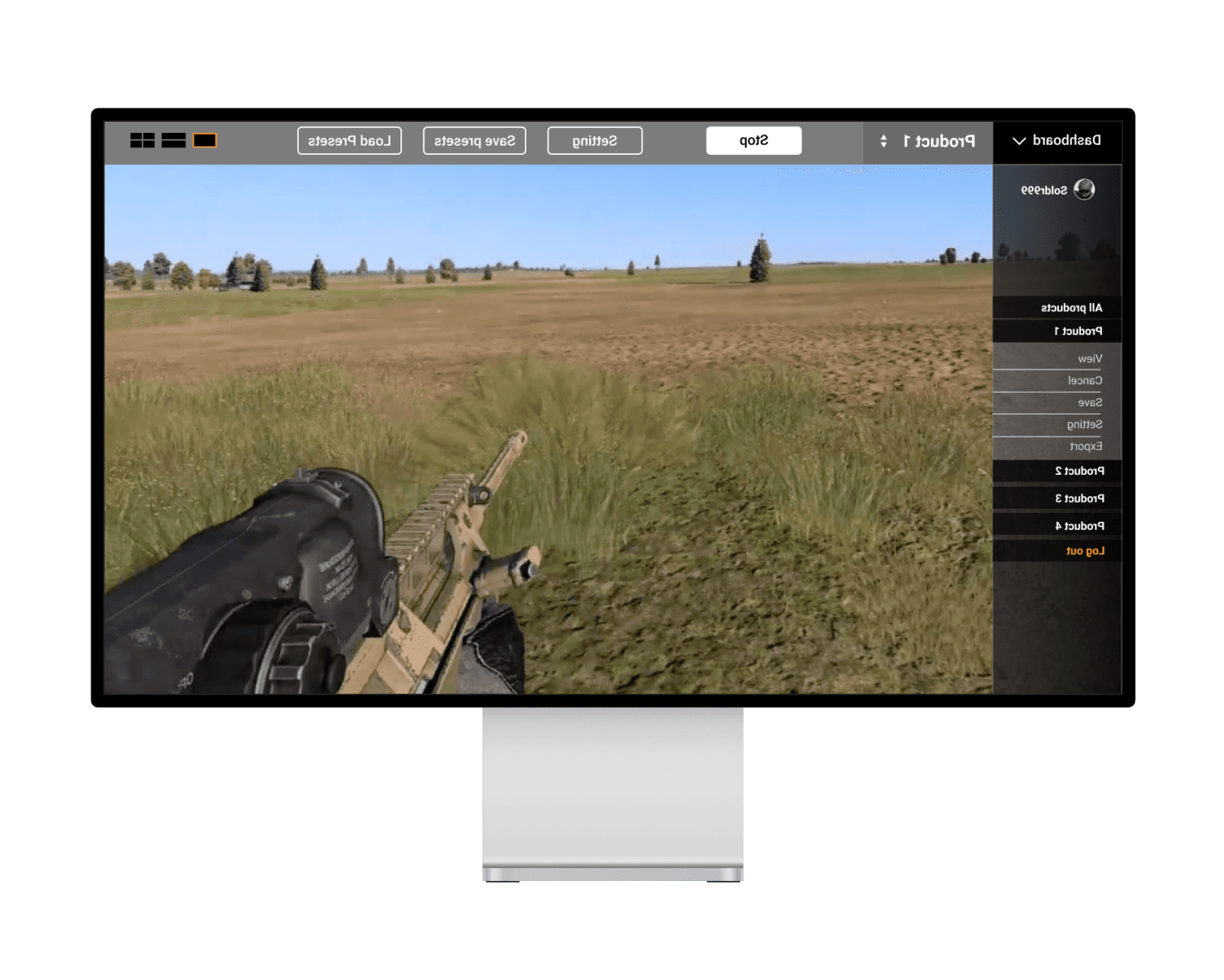
Challenge 3 - Launched products
This part was really challenging for me and a bit confusing because I didn't know exactly what all the products looked like, except for the training games. I tried to approach it in the most logical way, incorporating various product display options, product settings, and all the necessary features for easy operation.
Use Cases
Challenge 1 - Log in
When I started with the wireframes and final visualizations, I considered how users would navigate to the dashboards to launch products. There are many ways to approach this, but since it’s an app, I decided to keep it simple and use a classic login form.
Challenge 2 - Dashboard
Dashboard, or the main task of this exercise. In this part, I should include the products that the user chooses, edits, and adds to the queue in the selected order. The user selects each product separately and chooses the order in which to launch them. The best way to do this, in my opinion, is by using checkboxes and allowing the order to be changed with a drop-down menu. After selecting the product(s), the options for launching the product, saving it, or uploading already saved products with configurations will appear at the top of the navigation.
Challenge 3 - Launched products
This part was really challenging for me and a bit confusing because I didn't know exactly what all the products looked like, except for the training games. I tried to approach it in the most logical way, incorporating various product display options, product settings, and all the necessary features for easy operation.
Working on the BIS app was a really interesting experience. I got to experiment with some aspects of the design and refine my design process.
Although I was not able to fully flesh out other features and designs I wanted to due to time constraints, I tried to implement the most important parts.
Takeaways
Alexej CHORUZIJ
Senior UX/UI Designer, open to new opportunities.
a.choruzij@gmail.com
Email copied!
Selected projects
© 2026 Alexej Choruzij – UX Portfolio
Alexej CHORUZIJ
Senior UX/UI Designer, open to new opportunities.
a.choruzij@gmail.com
Email copied!
Selected projects
© 2026 Alexej Choruzij – UX Portfolio
Alexej CHORUZIJ
Senior UX/UI Designer, open to new opportunities.
a.choruzij@gmail.com
Email copied!
Selected projects
© 2026 Alexej Choruzij – UX Portfolio